
 Deutsch
  Русский
  Español
  Italiano
  Français
  Portuguese
  Türkçe
  Ελληνικά
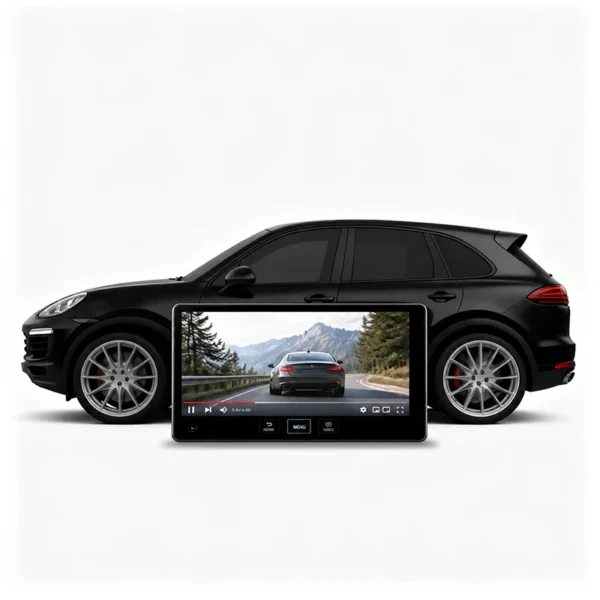
VIDEO IN MOTION FOR MANY PORSCHE MODELS
€499,00
- YouTube, Netflix & Amazon Prime on the PCM while driving
- Navigation without limits in motion – destination entry included
- Driver monitoring bypassed – the screens stay on
- All vehicle systems keep working exactly as original
- No effect on your warranty – no coding, nothing modified on the car
- Permanently active – no app, no button, no modes
- Easy DIY installation – plug and play at the original plug
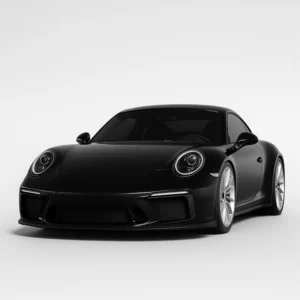
- Fits many Porsche models – Cayenne, Panamera, Taycan & 911
€499,00
Delivery (1-3 business days)


Please note that if the returned items are not in the original condition, or show some signs of usage, this includes removing or damaging the casing and protective sleeve, you will not be entitled to a refund. Similarly, in case of returning the products after long usage, that goes beyond the testing of the properties and functionality, you will not get the full refund.
FOR MANY PORSCHE MODELS – CAYENNE, PANAMERA, TAYCAN AND 911 – RELEASED BETWEEN 2016 AND TODAY
Installation Videos
Compatible vehicles
Porsche Cayenne 9YA / PO536 (2017–2025) – plug and play under the driver’s seat
Porsche Cayenne K1 / E4 (2026–today) – plug and play under the driver’s seat
Porsche Panamera 971 (2016–2023) – plug and play under the rear seat bench
Porsche Panamera 972 (2024–today) – plug and play under the driver’s seat
Porsche Taycan Y1A (2020–today) – plug and play under the driver’s seat
Porsche 911 992 (2019–today) – plug and play under the rear seat bench
SPECIFICATIONS
- Simple and quick DIY (do-it-yourself) installation
- No coding and no modification of the vehicle – your warranty is not affected
- Compact design that will fit everywhere
- Plugs into the original connector of your vehicle
- Lets you watch YouTube, Netflix, Amazon Prime or TV while driving
- Full navigation use in motion, including entering a new destination
- Works with many Porsche models – Cayenne, Panamera, Taycan and 911, facelift versions included
- The driver monitoring no longer switches the monitors off
- Permanently active – no activation, no button, no app and no key combination
- Can be unplugged at any time – the car is back in its delivery state
- Works with the PCM infotainment system – Apple CarPlay and Android Auto stay untouched
INSTALLATION & ACTIVATION
There is no activation or deactivation – the module is permanently active once connected.
No modes, app, button or key combination are required. Simply install the module and use it. Installation is plug and play at the original connector and can be done yourself.
Nothing needs to be removed, cut or modified on the vehicle, and no coding is required. The module does not affect the vehicle’s warranty.
To remove the function, simply unplug the module. The vehicle then returns to its original delivery state.
What is Porsche Video in Motion?
Porsche Video in Motion is a plug-and-play module that unlocks the video function of the PCM, so films and streaming apps can be played on the central display while your car is being driven. In the factory state Porsche disables this feature as soon as the vehicle starts moving, for the safety of the driver.
With the module the lock is gone for good: YouTube, Netflix and Amazon Prime keep running in motion, and the navigation can be used without any limits – including entering a new destination while driving. Porsche Video in Motion also takes care of the driver monitoring. Normally all monitors go black when the driver looks at the front-passenger display, looks behind or takes their hands off the steering wheel; with the module the screens simply keep working.
It is not a coding product: no programming is written into the control units of the car, nothing is removed and nothing is modified on the vehicle, so your warranty is not affected. The module can be unplugged again at any time.
Attention: this is an emulator that you should utilise at your own discretion. Enable it for your passengers only, to make sure you are driving safely.
How to Unlock Video in Motion on a Porsche?
Unlocking is a do-it-yourself job that takes only a few minutes and needs no coding, no app and no button press. The module is installed plug and play at the original connector, and the video function is available from the moment it is connected.
One and the same unit covers many Porsche models: the Cayenne 9YA / PO536 (2017–2025) and the Cayenne K1 / E4 (from 2026), the Panamera 971 and 972, the Taycan Y1A and the 911 992. Porsche Video in Motion works identically on all of them – facelift and hybrid facelift versions included. The complete overview is listed above.
Buy Porsche Video in Motion at Super Kilometer Filter and unlock the video function of your automotive infotainment instantly.
Does Video in Motion affect the warranty of my Porsche?
No. This is not a coding product. Nothing is programmed, nothing is flashed and no value is written into any control unit of your car. The module does not change a single setting of the vehicle, so there is nothing in the car that could be traced back to it later.
Nothing has to be removed, cut, drilled or modified. The module is simply plugged in at the original connector: original plug off, module in between, plug back on. No cable is cut, nothing is soldered and no part has to be replaced. The installation is pure plug and play and can be done yourself in a few minutes.
That is why the module has no influence on your warranty and none on Porsche service or inspections. Whenever you want the car back in its delivery state – for a workshop appointment, an inspection or before selling it – you simply unplug the module. Everything is exactly as it was before: the factory video lock is active again and nothing on the vehicle has been altered.
FAQ
Additional information
| Weight | 100 g |
|---|---|
| Dimensions | 20 × 12 × 4 mm |
Only logged in customers who have purchased this product may leave a review.
Related products




Service center
CUSTOMER CENTER
Here you will find all the details about our company
Shipping and return
Here you will find shipping and return related information
Technical Support
Here you will find information on all technical questions
Installation Support
Here you will find helpful information about installation


Reviews
There are no reviews yet.